Still checking for sales?
Hear every
sale.
A ka-ching on your iPhone for every sale, one number for everything you sell, and a record of how far you’ve come. Paste a read-only key; nothing about your business is kept on a server.

You check it before breakfast.
Not for the charts. To see if the number moved.
- TapRevnowNew Sale+$49.00 · Pro, monthly · Stripe
You sell a SaaS.
A new plan starts, the number ticks, and you hear it before you look.
- TapRevnowNew Sale+$29.00 · Template Pack · Gumroad
You sell what you made.
Someone chose your work. It should sound like it.
- TapRevnowNew Sale+$79.00 · License, yearly · Lemon Squeezy
You sell licences and tools.
One-off sales, every one counted, the big ones rung loud.
- TapRevnowNew Sale+$9.99 · Pro, monthly · RevenueCat
You ship an app.
Today’s App Store number beside everything else you sell, without waiting for next-day reports.
▲ 4.2%against the 30 days before
One number. It moves when you sell.
Every sale from the platform you sell on is already in it, any platform you add joins it, and when one lands you hear it before you look.
- StripePro, monthly—$4,120.00
- GumroadTemplate Pack—$640.00
- RevenueCatPro, monthly—$1,140.00
Ka-ching. For everything you sell.
Every sale lands with a sound; a big one, you set the threshold, sounds different, so you know before you look.
- 07:30Yesterday's Revenue — your numbers, at the hour you pick
- 11:04Large sale — Team plan, annual+$1,188
- 16:47New Sale — Pro, monthly · $476 to the $2.5K summit+$49
- 16:47Badge unlocked — A week sold · Determination · Day 351
- Pro — rings at 11:04, the second it sells.
- Free — rings when iOS lets the app check: 11:19, or 14:00.
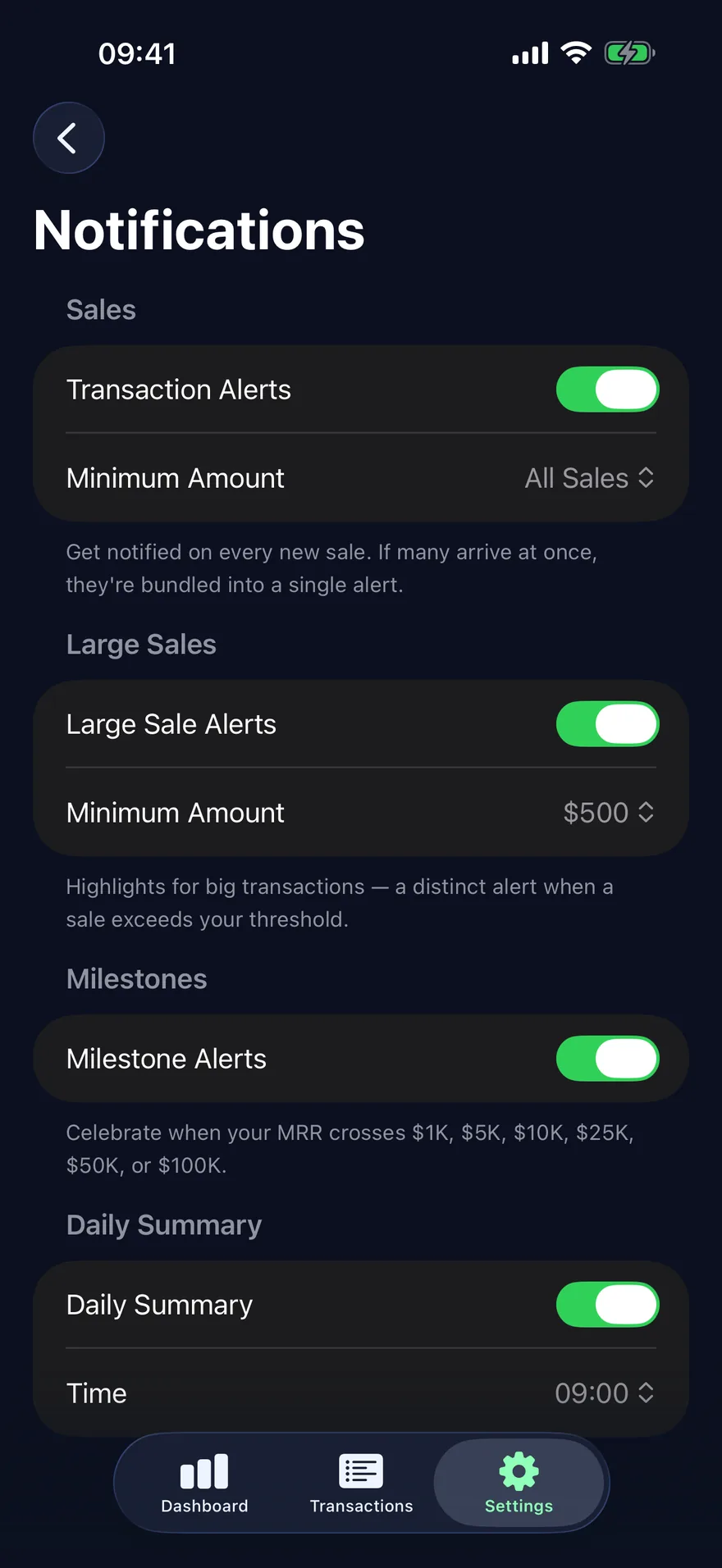
Every sale is a step. The app keeps count.
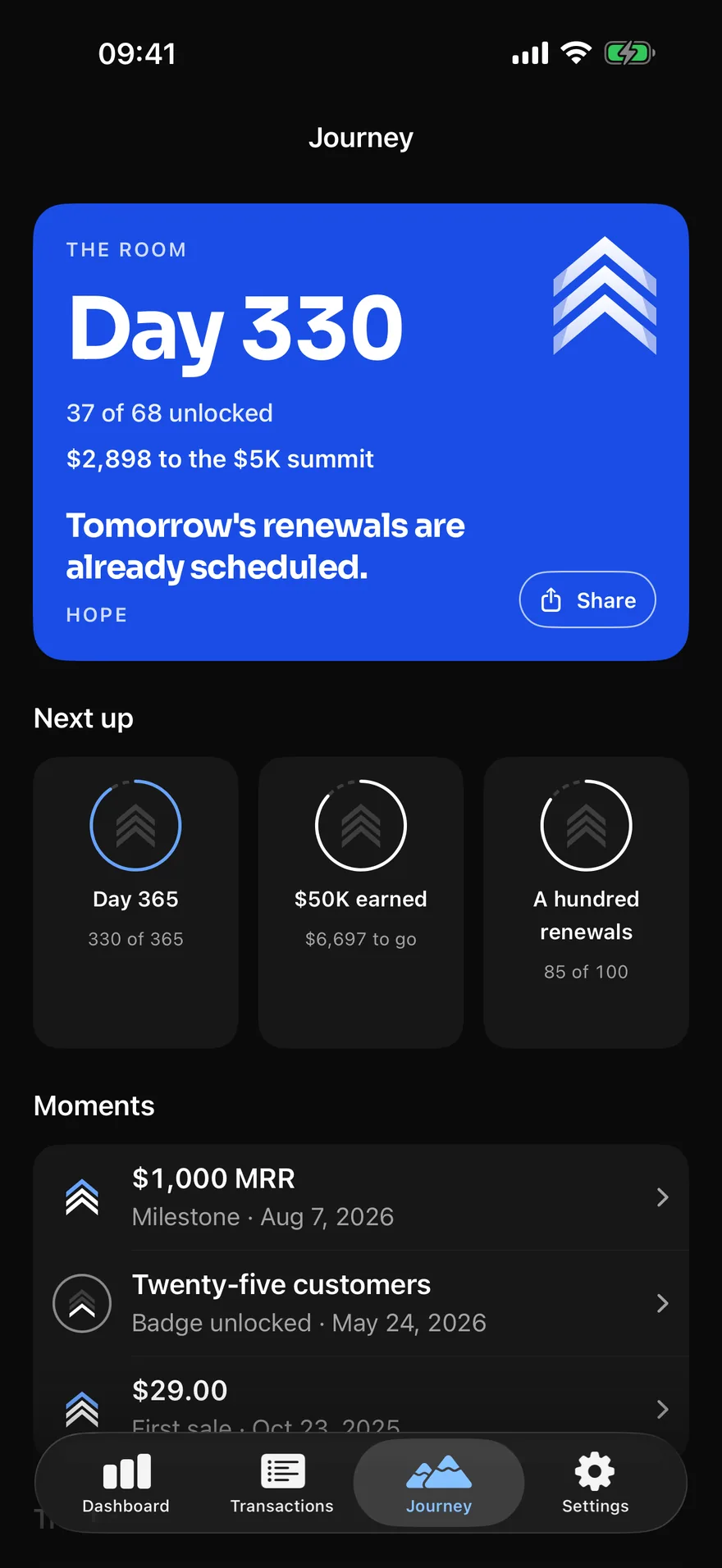
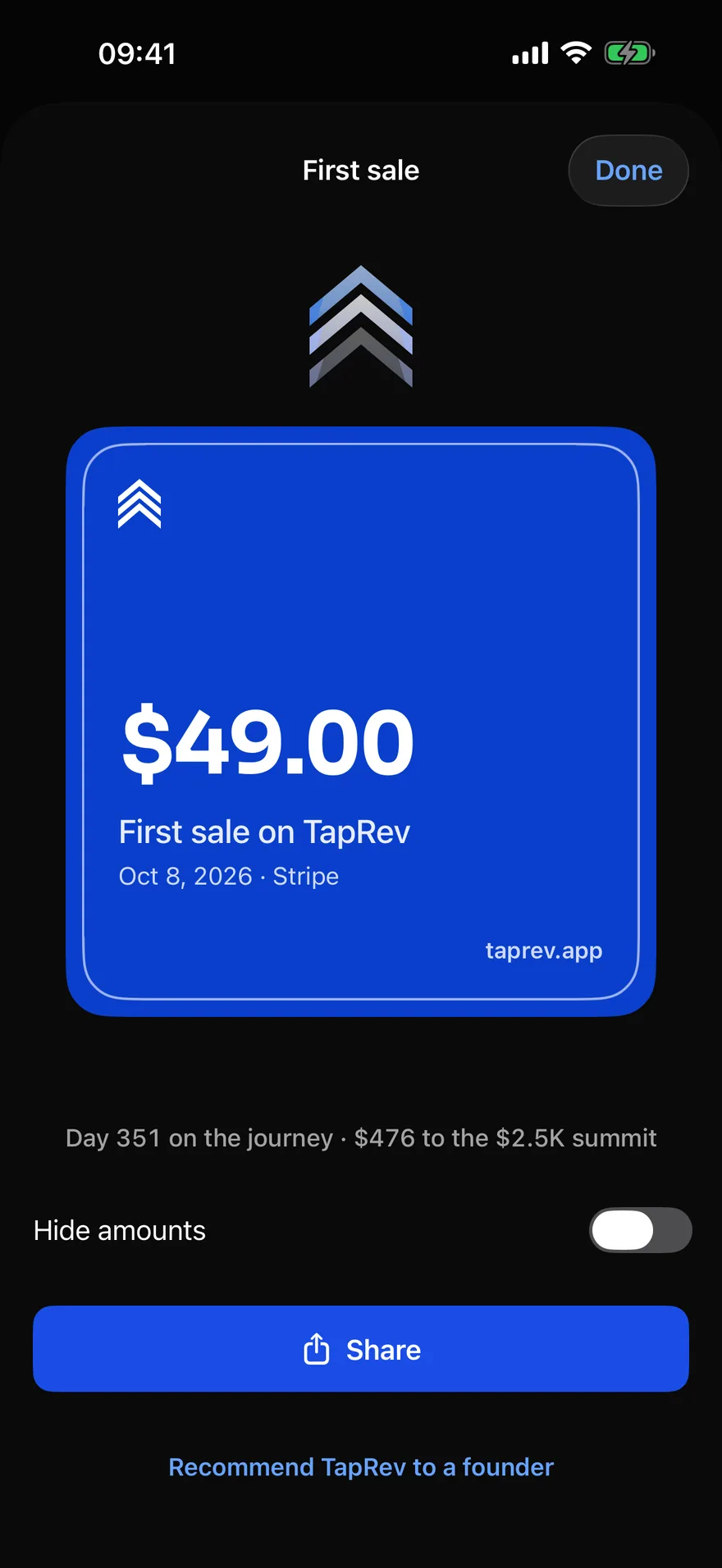
Building alone, the slow weeks are the hard part. TapRev keeps the record for you: the days since your first sale, every summit you pass and the next one named in every sale alert, a line each morning, and over a hundred badges earned from real sales, each with a card made to post.
First sale
The first payment TapRev sees.
Bronze · Courage
A week sold
A sale on seven days in a row.
Bronze · Determination
$100 summit
MRR crosses $100.
Bronze · Hope
They came back
The first renewal: someone paid a second time.
Bronze · Growth
Two countries
Customers in two countries.
Bronze · Inspiration
Comeback
A new MRR high after a month below the last one.
Silver · Resilience
Paste a key. That’s the setup.
No account, no TapRev server in between: pick a platform, paste a read-only key, and your phone syncs from it.
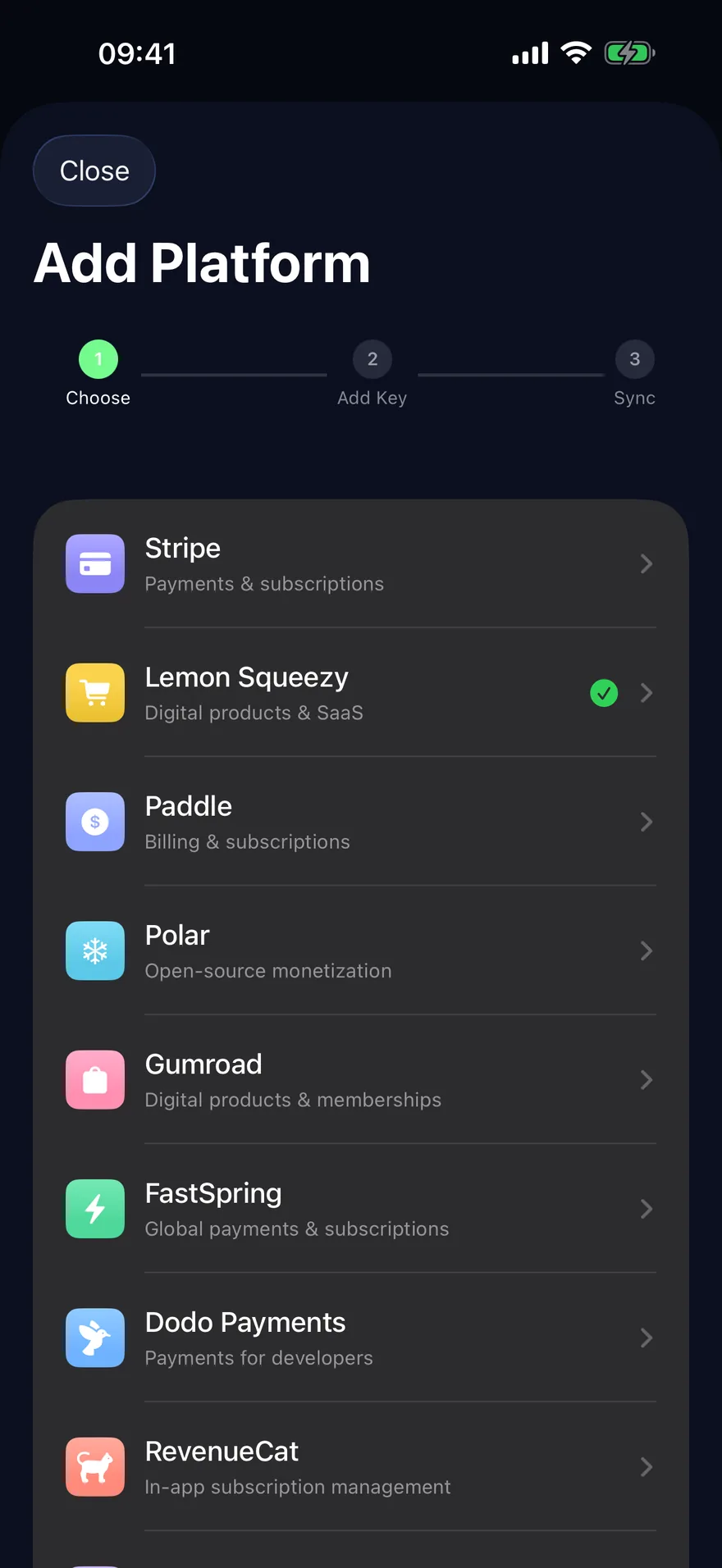 1
1Pick where you sell
Start with the one you check most.
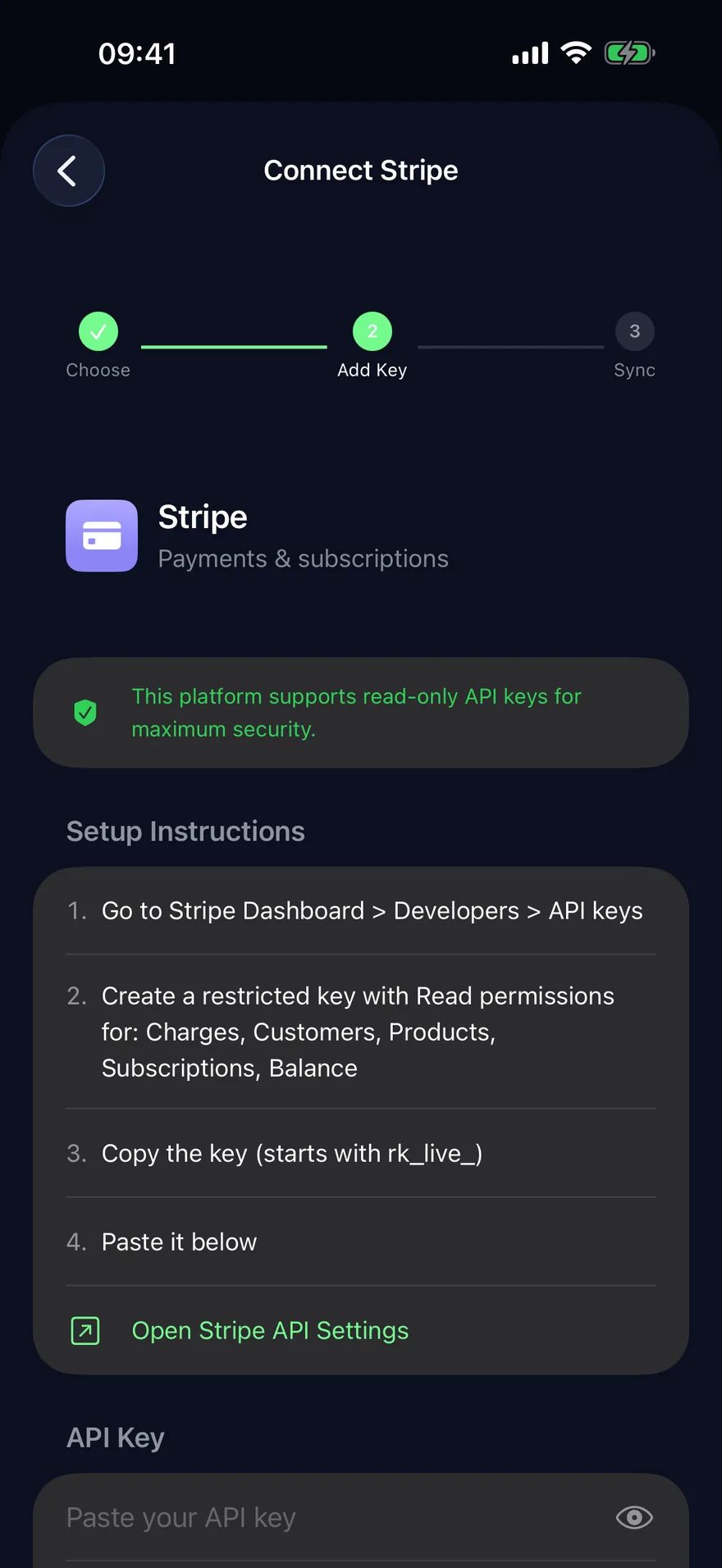 2
2Paste a read-only key
The app tells you where to make one and which permissions to give it.
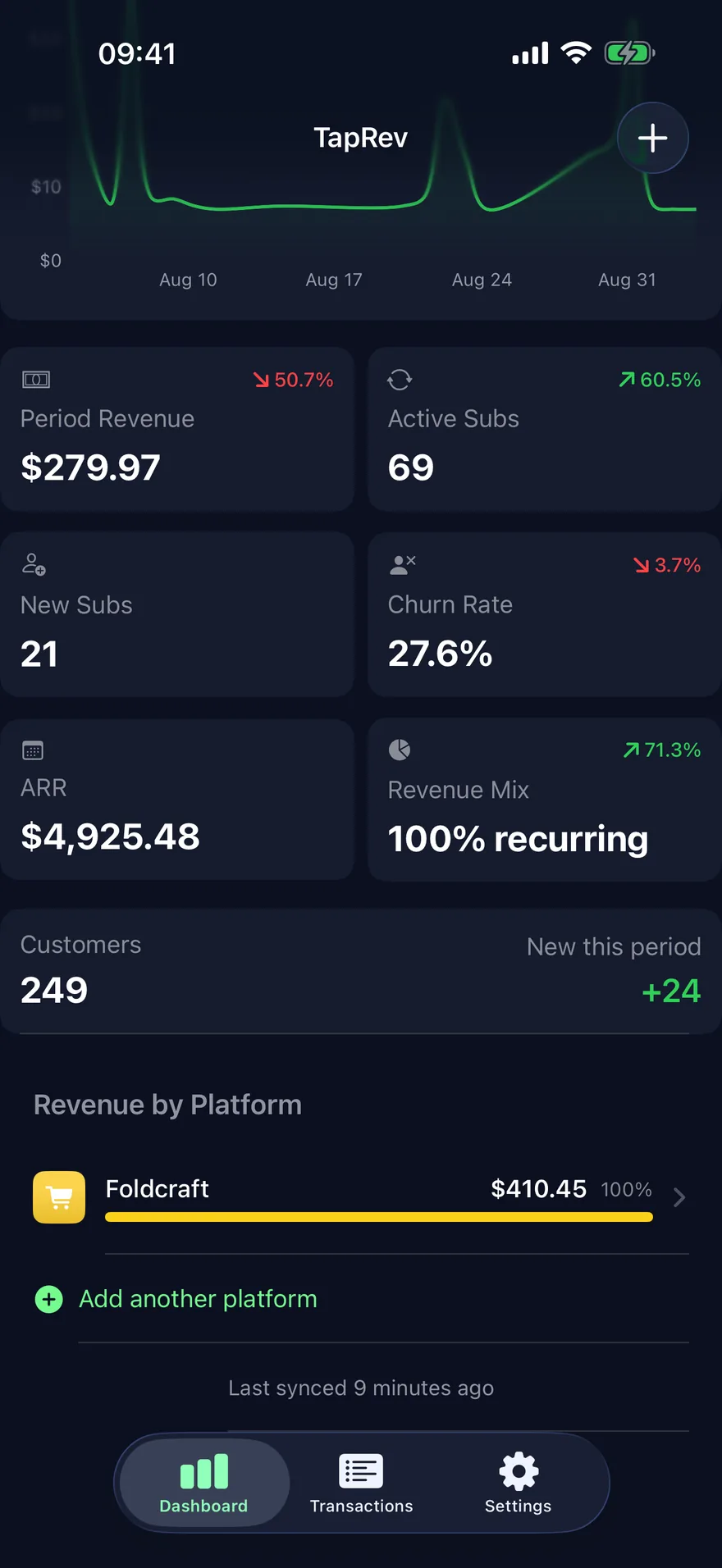 3
3See your numbers
Revenue, subscriptions, churn and the split by platform, synced from the platform to your phone.
Your number, on the Home Screen.
Two widgets: the number with its trend, and the day on the journey with its line, in up to three sizes and on the Lock Screen.
Pro gets the figures. Everyone keeps the day and the affirmation.
The friend who asked how you started is nearly ready.
INSPIRATION
Day 351 · $476 to $2.5KLock Screen
Nothing on a server.
Your keys stay in your iPhone’s Keychain, every request is a read from your phone to the platform, and what comes back stays on the phone.
- 0servers holding your data
- 0accounts to create
- 1switch for anonymous analytics, off if you like
- Keys
- In the iOS Keychain, device-only: never in iCloud, never restored to another phone.
- Requests
- HTTPS reads from your phone to the platform; the app has no code that writes to one. Twelve months cached on the phone.
- Instant Alerts
- Pro uses one relay that wakes your phone when a platform reports a sale; it holds your push token, its alert settings and a few timestamps, never a sale, a customer or a key, and forgets the phone when you turn alerts off.
- Two SDKs
- RevenueCat verifies the purchase; PostHog counts anonymous usage and crash reports, which you can switch off in Settings. Never an amount, a name, an email or a key.
Free to start. Pro when you want more than the number.
Free to download, with your number and every sale alert free for good; Pro opens the full dashboard and rings within seconds.
Free
No account. No card.
- Any of the eleven platforms, several accounts on one platform, as many as you sell on
- Every sale alert, with the amount; renewal, cancellation, refund and chargeback alerts are switches
- Alerts arrive when iOS lets the app check: 15 minutes to a few hours
- A daily summary with your numbers
- Your first week has all of Pro but Instant Alerts; after it, your dashboard stays: your number, your goal and the last 7 days of sales
- Over a hundred badges, the room, a card for each milestone
- The Journey widget: the day count and the affirmation
- Everything stays on your phone, paid or not
Pro
Everything in Free, plus
- Instant Alerts: rings within seconds of a sale
- The full dashboard: the chart, churn, customers, each platform on its own
- Sales history beyond 7 days, back twelve months
- Both widgets with the figures, Home Screen and Lock Screen
- YearlyBest value$49.99a year
$4.17 a month
- Monthly$6.99a month
- Lifetime$99.99once
One payment, for good. Launch price for the first 200 buyers.
No card and no sign-up. Then $49.99 a year or $6.99 a month, or stay on Free.
Prices in US dollars; the App Store shows local prices. The free week starts when you first open the dashboard, and reinstalling does not restart it. Lifetime is one purchase with no renewal. Subscriptions renew until you cancel in your Apple ID settings; refunds are handled by Apple.
Before you paste a key
The download, with no account and no card: any of the eleven platforms, with several accounts on one platform if you sell that way, a New Sale alert with the amount for every sale and a different ring for a large one, when iOS lets the app check (renewal, cancellation, refund and chargeback alerts are switches, off until you turn them on), a daily summary, all of Pro but Instant Alerts for your first week and, after it, a dashboard with your number and your goal and the last 7 days of sales, the Journey tab with its hundred-plus badges, the room and a card for each, and the Journey widget with the day count and the affirmation, all of it on your phone whether you pay or not.
Your dashboard stays: your number with its trend, your goal and the last 7 days of sales, every platform added together, with a row at the foot that says what Pro adds. Nothing is deleted: your keys, connections and cached data stay on the phone, alerts keep coming and the Journey tab stays open. Pro adds the chart, churn and customers, each platform on its own, sales older than 7 days and the widgets' figures, and Instant Alerts within seconds. It is monthly, yearly, or Lifetime, one payment with no renewal. The revenue widget shows only how many platforms are connected until you subscribe; then the rest opens exactly as you left it.
On Free, every time you open the app or pull to refresh, and in the background when iOS allows it: the app asks for a check every 15 minutes, and iOS grants one somewhere between that and a few hours. Notifications arrive as sales are found. With Instant Alerts (Pro), a platform wakes your phone within seconds of a sale through a webhook link you paste into that platform; the relay behind it keeps your push token, its alert settings and a few timestamps, never a sale, a customer or a key.
The record of what you are building, kept for you, so progress is something you can see on a slow week. It counts the days since your first sale, marks the MRR summits from $100 to $1M and names the next one in every sale alert, and awards over a hundred badges from real sales: a first sale, a week sold in a row, a first renewal, customers in two countries, a comeback. Each comes with a card made to post. A line arrives each morning, on by default and off in a tap. It is all free, paid or not: the Journey tab and its widget.
Through RevenueCat or Superwall, if your app uses either. TapRev doesn’t read App Store Connect. A purchase shows on the next sync — open the app, pull to refresh, or in the background when iOS allows it — or within seconds with Instant Alerts.
No. They are in your Keychain, and there is nothing on our side to send them to. You don’t need a full-access key either: Stripe, Polar, Paddle, RevenueCat and Superwall issue keys with read-only permissions, and the app tells you which to pick — for Stripe, a restricted key with Read on Balance, Balance transactions, Charges, Customers, Invoices, Prices, Products and Subscriptions. Creem and Dodo Payments let you limit a key to Read too (their key guides show how). The others don’t offer a read-only scope; TapRev only ever reads with the key, and you can revoke it in the platform at any time. Settings → Delete All Data removes the keys from the phone; deleting the app alone does not, because iOS keeps Keychain entries — do that first, or revoke the key at the platform.
It opens on taprev.app, the same card, with no account and no download needed. If they have TapRev, the link opens the card in the app.
No. MRR is calculated per currency and the app shows one — the currency you choose in Settings, or the one with the most MRR — and, if you have more than one, a footnote saying which. Nothing is converted.
Yes. The last sync is cached on the device, and the app says how old it is.
iPhone, iOS 18 or later, for now.
Yazeed Al Oyoun: fifteen years in product, a builder by night, selling his own software the way you do. No team, no investors. He reads every message and replies within two business days: [email protected], or @yazeedaloyoun on X.
One tap.
Free to download. Every sale alert free. Pro from $49.99 a year, about $4.17 a month.