The TapRev app for Stripe
TapRev for Stripe · Documentation
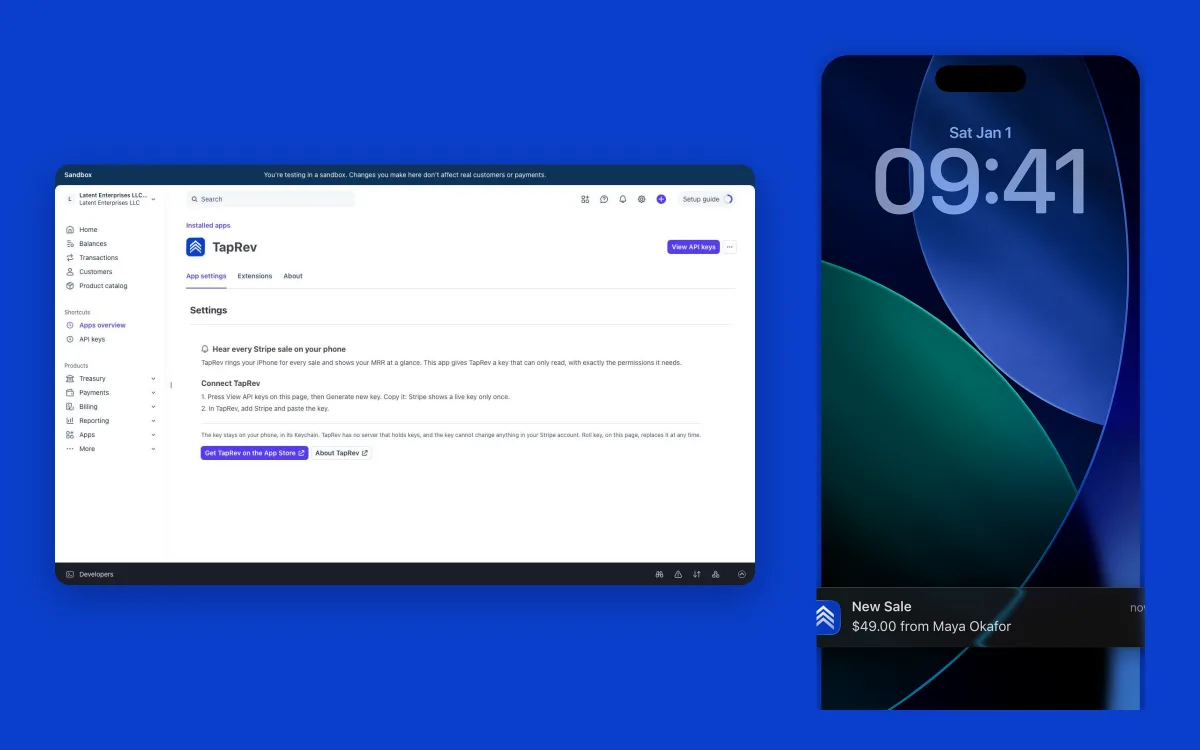
TapRev is an iPhone app for people who sell what they made: it rings your phone for every sale, shows your MRR and revenue as one number, and keeps the record of your journey. The TapRev app for Stripe gives TapRev a key that can only read, with exactly the permissions it needs. The key stays in your iPhone’s Keychain; TapRev has no server that holds keys or your sales.
Status: The TapRev app for Stripe is in Stripe’s review. Until it is listed, connect Stripe with a restricted key you make yourself (below).
TapRev is free to download on the App Store (iPhone, iOS 18 or later). It is made by one developer, Yazeed Al Oyoun.
Connect TapRev with the app
This is the flow once the app is listed, checked on 2026-11-03 in a Stripe sandbox.
- Install the app from the Stripe App Marketplace. Stripe shows the permissions the app asks for, all of them Read-only (listed below), then opens the app’s settings page.
- On that page press View API keys. In live mode press Generate new key and copy it: Stripe shows a live key only once. In a sandbox press Reveal key. The restricted key starts
rk_live_(orrk_test_in a sandbox). - In TapRev choose Connect a Platform, then Stripe, and paste the key. A test key works and is marked as test mode.
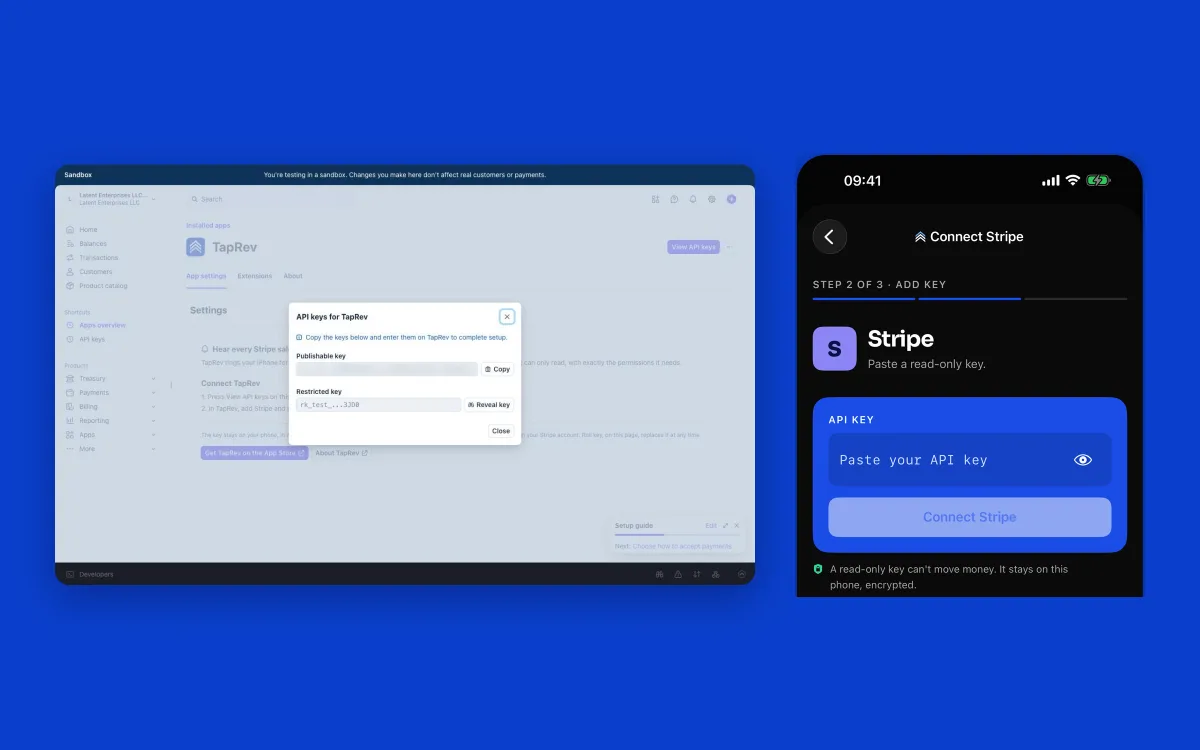
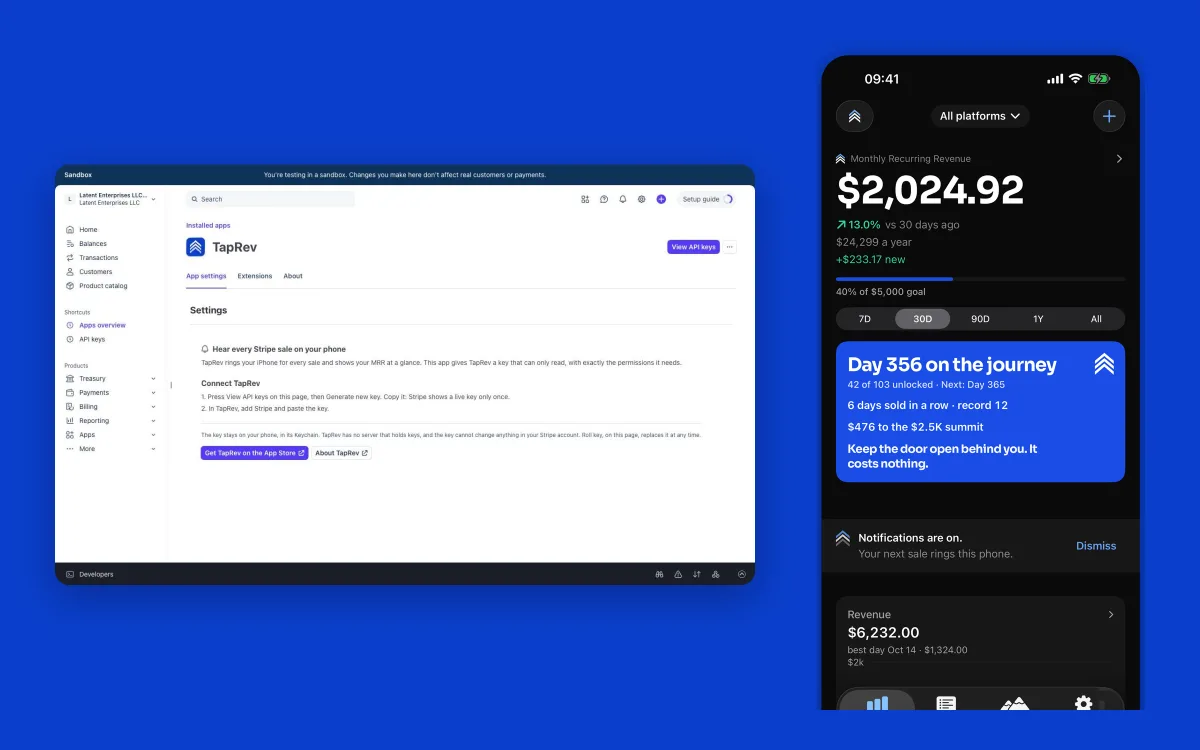
The key cannot move money or change your account, and it stays in your iPhone’s Keychain: TapRev calls api.stripe.com directly from your phone.
What the key can read
Nine permissions, as Stripe’s install screen shows them. Every one is Read-only; none can write.
| Permission | Why TapRev reads it |
|---|---|
| Account and user information | Stripe adds this one itself; it is not in the app’s own list. |
| Balance | Check that the key works and which account it reads. |
| Balance Transaction Sources | Read each payment, refund and fee as it lands, so TapRev can ring your phone for every sale. |
| Charges and Refunds | Read payments and refunds: the amount, the customer and whether it was refunded or disputed. |
| Customers | Name the customer in each sale alert and count your customers. |
| Invoices | Tell a new subscriber from a renewal (an invoice’s billing reason). |
| Prices | Read each subscription’s price and interval to calculate your MRR. |
| Products | Name the product in each sale and break revenue down by product. |
| Subscriptions | Calculate your MRR, active subscribers, trials and cancellations. |
Replace or revoke the key
- In live mode, Roll key (in the same API keys dialog) replaces the key. The old key stops working: TapRev then shows “Invalid API key. Please check your credentials.”
- Put the new key in under TapRev’s Settings tab, then the Stripe account, then Update API Key.
To remove every key from the phone, use Settings → Delete All Data in TapRev. More on taking a key back is in the Stripe key guide.
Connect without the app
You do not need the app. Stripe lets you make a restricted key yourself in the Dashboard; Find your Stripe API key has the steps, the permissions to set and the webhook for Instant Alerts (Pro). The key is the same kind: it reads, it cannot change anything, and it stays on your phone.
Questions
Can I install the TapRev app for Stripe today?
Not yet. The app is in Stripe’s review and is not listed in the Stripe App Marketplace. You can connect Stripe to TapRev now with a restricted key you make yourself, which is the same kind of key: read-only, kept on your phone.
Is it safe to give TapRev this key?
The key is read-only: it cannot move money or change anything in your Stripe account. It stays in your iPhone’s Keychain, and TapRev reads Stripe directly from your phone, so there is no TapRev server that holds keys or your sales.
Does the Stripe app cost anything?
The app’s listing is set to Free, and installing it needs no subscription. TapRev is free to download, and every sale alert is free. Your first week has everything in Pro but Instant Alerts; after it, Pro is $6.99 a month or $49.99 a year.
Can I use a test or sandbox key?
Yes. In a Stripe sandbox the app’s key starts rk_test_. TapRev accepts a test key and marks it as test mode.
How fast do sale alerts arrive?
Without Pro, alerts come with TapRev’s background checks, which iOS schedules. With Pro, Instant Alerts arrive within seconds: you paste one link into Stripe as a webhook, and TapRev’s relay wakes your phone. The relay never holds your key, a sale or a customer.
What happens when I roll the key?
Roll key (live mode) replaces the key. TapRev then shows “Invalid API key. Please check your credentials.” Put the new key in under Settings, the Stripe account, Update API Key.
Still stuck
Start at Support; one developer answers, within two business days. Never include the key itself.